Your journey
No account required
Make it feel like a native app
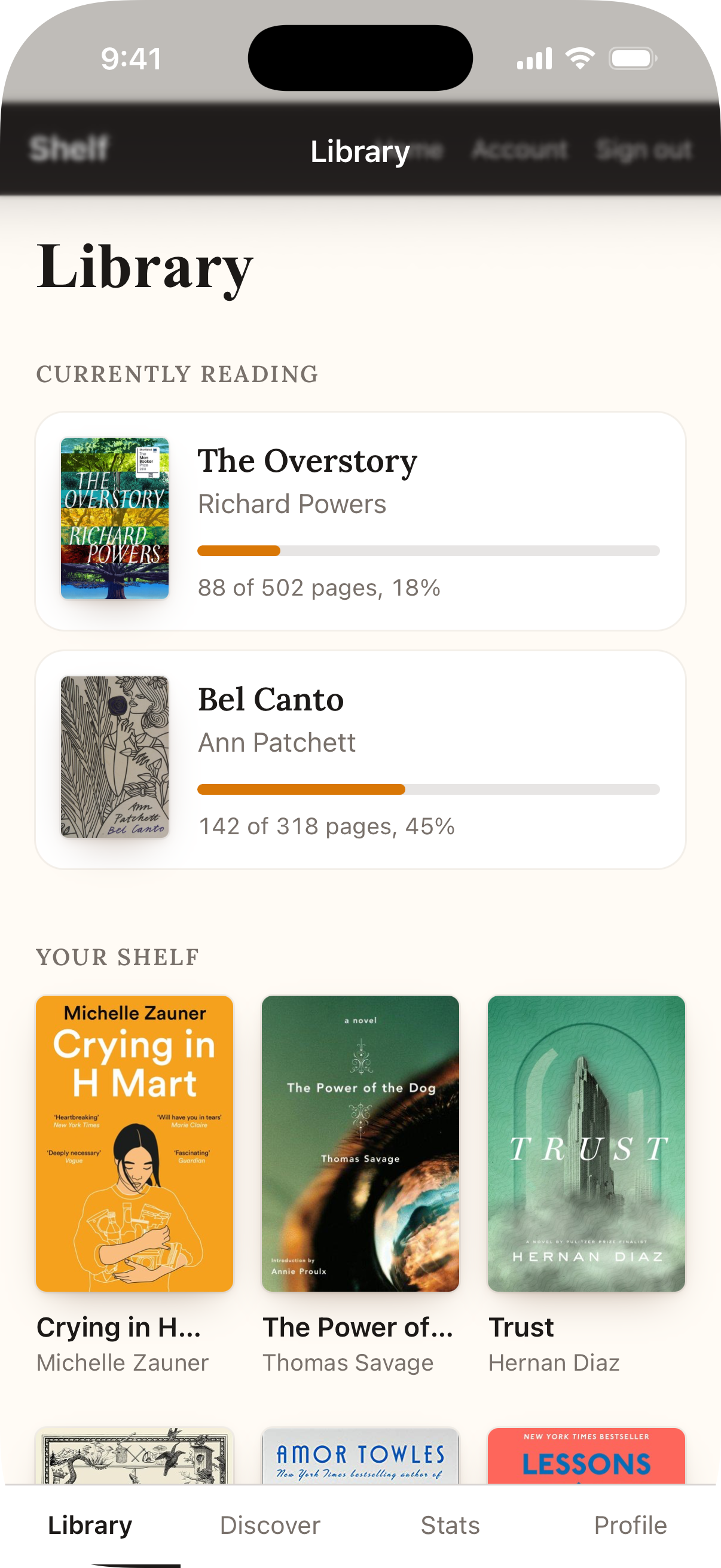
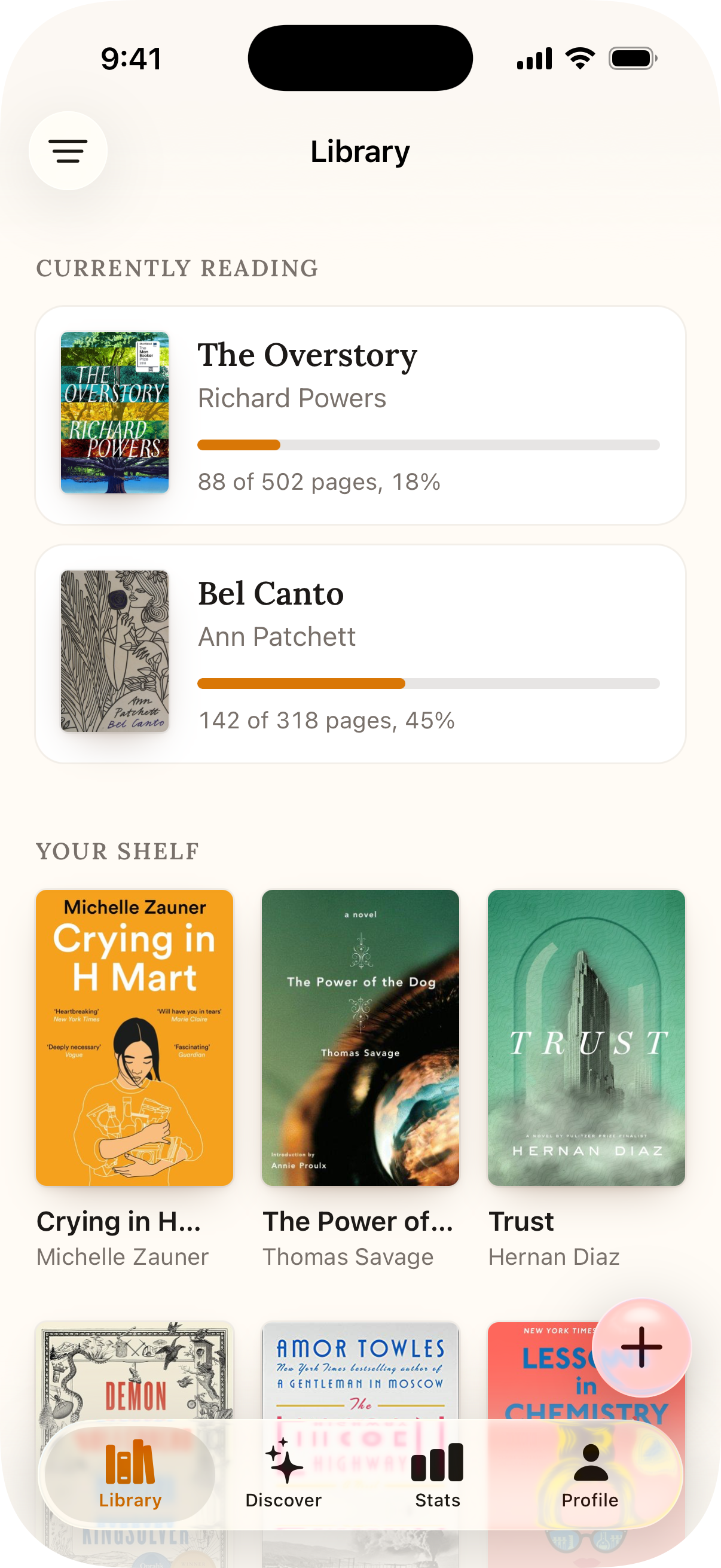
Skip this stepThe same Rails app, before and after the changes below. Most of the work is hiding non-content elements from the app and rendering them natively via Ruby Native.
-
Two headers stacked on top of each other.
Hide your web navbar and footer from native users with the
native-hiddenclass.app/views/layouts/application.html.erb<header class="native-hidden">
<footer class="native-hidden">
-
Content tucked under the status bar or home indicator.
Opt into safe areas with the viewport meta tag, the Ruby Native stylesheet, and the
native-insetclass on your content wrapper.app/views/layouts/application.html.erb<meta name="viewport" content="width=device-width, initial-scale=1, viewport-fit=cover">
<%= stylesheet_link_tag :ruby_native %>
<main class="native-inset"><%= yield %></main>
-
A web hamburger or bottom navigation that feels out of place.
Define your tabs in YAML and let Ruby Native draw a native tab bar instead. Icons use SF Symbols (iOS) or Material Symbols (Android) names.
config/ruby_native.ymltabs:
- title: "Home"
path: "/"
icon: "house"
- title: "Profile"
path: "/profile"
icon: "person"
-
Going back from a saved form lands on the form again.
Add
native_form_tagto every page with a form on it, so going back from the success page skips the form.app/views/posts/new.html.erb<%= native_form_tag %>
-
Signed out at random, or somebody else's screens after signing out.
Make the session cookie permanent so native users stay signed in between launches. Then render
native_identity_tagon every page so signing out clears every tab.app/controllers/concerns/authentication.rb, app/views/layouts/application.html.erbcookies.signed.permanent[:session_id] = session.id
<%= native_identity_tag(current_user&.id) %>
-
A white flash between screens.
Set
background_colorin your config to the exact value of your CSS body background.config/ruby_native.ymlappearance:
background_color: "#0f172a"
-
Pages slide in like a website, not an app.
Turn on Advanced Mode for native push and pop transitions and a native navigation bar. It needs Turbo Drive on every page, so check for
data-turbo="false"first, and switchnative-insettonative-inset-top.config/ruby_native.ymlapp:
mode: advanced
Let your coding agent handle this
It works through these steps from your codebase and stops at the ones only you can take.
bundle exec ruby_native mcp install