Updates · October 12, 2026
Ship to the app stores with your agent

Joe Masilotti
The goal of Ruby Native is to make it easier for Rails developers to build real mobile apps. This update gets us one (huge) step closer. Ruby Native can now manage your entire App Store and Google Play listing and submission, from a simplified dashboard or directly with your coding agent.
I've taken 30+ apps through App Review, and the build is rarely the hard part. It's everything after: App Store Connect's forms, screenshots at the exact sizes Apple wants, a privacy policy URL, and a review that comes back a day later asking for one more thing.
That's where apps get stuck, and exactly what this release fixes.
Your listing, from the dashboard, your editor, or your agent
Each store is its own track now, from your developer account to going live, and every step is tracked in the dashboard.
Your App Store and Google Play listings live there too: the name, description, keywords, and screenshots for each store. Edit them in one place, see exactly what will change, and publish when you're ready.
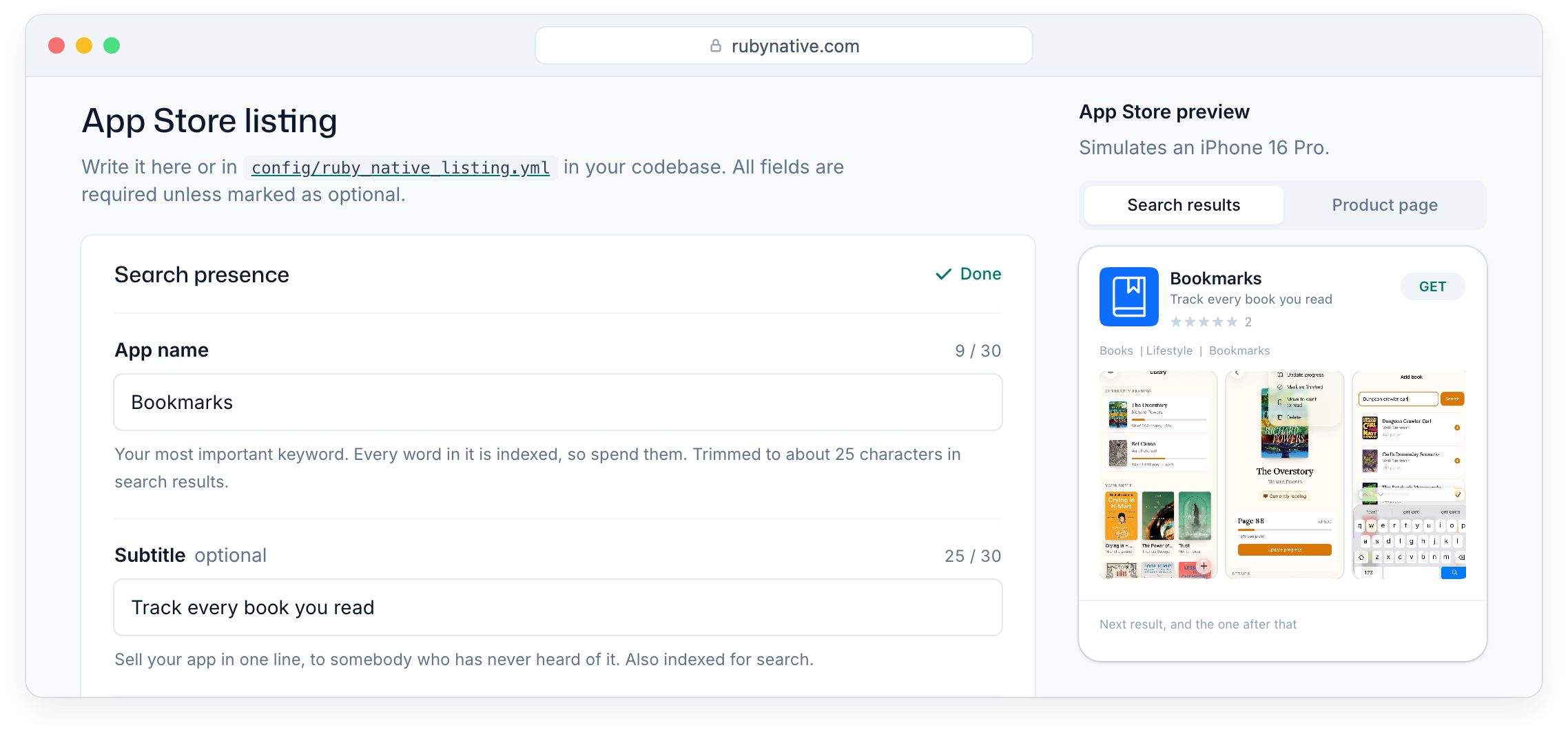
You can even keep your listing in code. Edit config/ruby_native_listing.yml and run ruby_native listing publish, and your listing gets reviewed in a pull request like everything else.
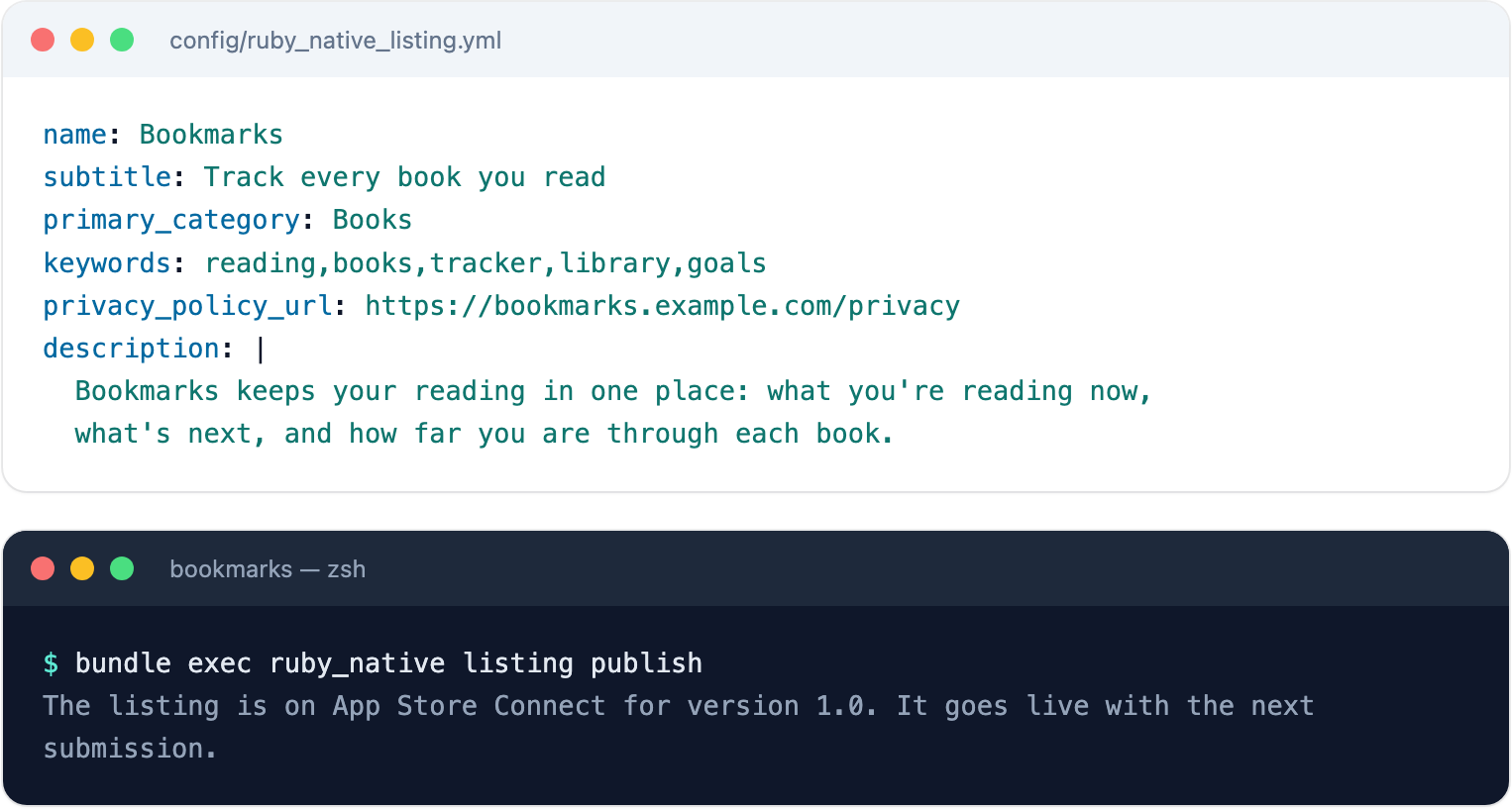
Your coding agent can walk the same steps. Run bundle exec ruby_native mcp install, then ask it what's next. It drafts the listing from the product it already knows and submits it for review. The MCP server docs have the details.
And if you submit something by mistake, you can always withdraw it from review, from the dashboard or with ruby_native withdraw.
Pricing
Ruby Native is now one plan: $199 a month per app, or $1,990 if you pay for the year.
That covers everything:
- Ship real iOS and Android apps from your Rails codebase
- Deploy from the terminal, your agent, or the dashboard
- Manage your listing, screenshots, and submission for both stores
- Send push notifications and charge for subscriptions
- Stay up to date with each iOS and Android release, automatically
You subscribe once your App Store Connect key checks out or your Play Console access is confirmed, the moment your app can actually ship. Everything before that, from your developer account to your icon and listing, can be set up first.
Want a second set of eyes? The Business plan is gone, replaced by an optional launch review. For $999, an app store expert reviews your listing before you submit and answers any rejection until that version is approved. It's a human in your corner if Apple or Google asks you to change something.
If you were already here
On the Starter or Business plan. Nothing changes until your plan renews. At renewal it moves to the new plan at $1,990 a year, and I'll email you the date and price beforehand. Prefer monthly? Reply to that email and I'll set it up. If the new price isn't right, cancel before you renew and keep a copy of the native source for your app.
Built without a subscription. Your next build needs a subscription. Builds already on TestFlight keep working until Apple expires them after 90 days, and builds on Play's internal testing track keep working. If that doesn't work for you, email me and we'll work something out.
Deploy from CI. ruby_native deploy --if-needed keeps working for subscribed apps. For an app without a subscription, it stops with the reason and a link to subscribe. Subscribe, or remove the step.
Questions about any of this? Email me at [email protected]. I read every one.
See your Rails app on your phone
Try the demo app on your phone, then point it at your own Rails app. It takes a few minutes.
Try Ruby Native on your phoneQuestions, or want help getting to the app stores? Email me at [email protected].