Badges
Update the app icon badge and tab bar badge from regular page loads. Badges stay in sync as users navigate, without needing to send a push notification.
The tab bar badge works on iOS and Android. The app icon badge is iOS-only: Android has no per-app numeric badge API, so launcher badges there come from notification channels instead. A home: count is simply ignored on Android, and the same call still updates the tab badge.
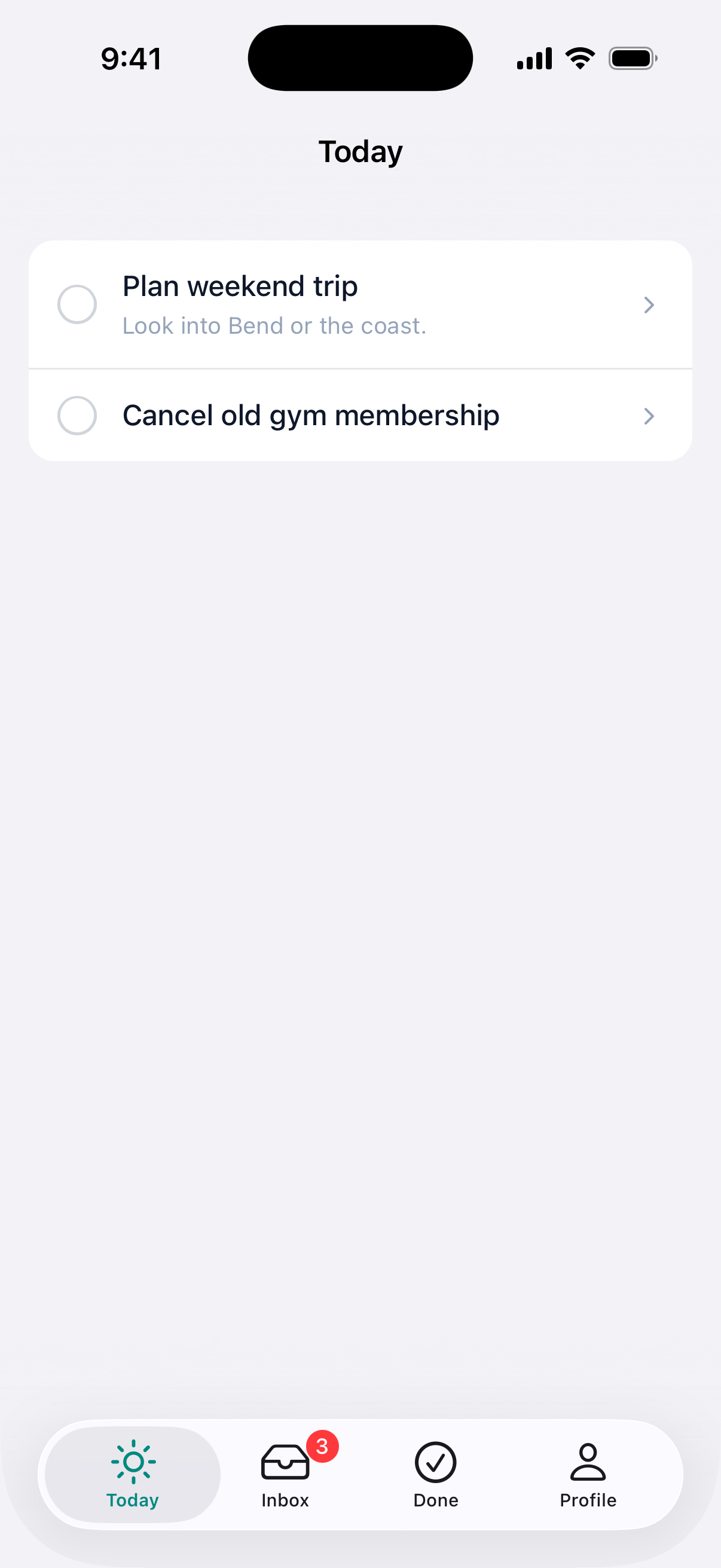
#Setup
Mark which tab should display the badge in config/ruby_native.yml:
tabs:
  - title: Home
    path: /
    icon: house
  - title: Notifications
    path: /notifications
    icon: bell
    badge: true
Only one tab can have badge: true. The tab: badge appears on this tab whenever a count is set. To badge more than one tab, see Badging tabs by key.
#Basic usage
Add native_badge_tag to any page. When the page loads, the app updates the badge counts.
<%= native_badge_tag(@unread_count) %>
import { NativeBadge } from "@ruby-native/react"

<NativeBadge count={unreadCount} />
<script setup>
import { NativeBadge } from "@ruby-native/vue"
</script>

<template>
  <NativeBadge :count="unreadCount" />
</template>
A single number sets both the Home Screen (app icon) badge and the tab bar badge to the same count. Passing 0 clears both badges.
#Independent counts
Set the Home Screen badge and tab badge to different values with keyword arguments:
<%= native_badge_tag(home: @total_unread, tab: @inbox_unread) %>
Omitted parameters leave that badge unchanged. For example, updating only the tab badge:
<%= native_badge_tag(tab: @inbox_unread) %>
Or only the Home Screen badge:
<%= native_badge_tag(home: @total_unread) %>
NativeBadge takes the same values as props in Inertia: count, home, tab, and tabs.
#Dots and text
A tab badge doesn't have to be a number. Pass true for a dot, or a short string to show it as is:
<%= native_badge_tag(tab: true) %>
<%= native_badge_tag(tab: "New") %>
false clears it, the same as 0. Keep strings to a letter or a short word, since the badge grows to fit. The Home Screen badge is always a count.
#Badging tabs by key
tabs: badges any tab by its key in config/ruby_native.yml, with no badge: true needed. Each value can be a count, true, or a string:
<%= native_badge_tag(home: @total_unread, tabs: { inbox: @inbox_unread, whats_new: !current_user.seen_whats_new? }) %>
Keys missing from your config are ignored. Render one native_badge_tag per page, since the app reads only the first.
#Older builds
Dots, text, and tabs: need a build on Ruby Native 0.20.0 or later. On older builds, a dot or text clears the tab: badge, and tabs: is ignored.
To keep a badge showing for people who haven't updated, keep badge: true in config/ruby_native.yml and keep passing the count as tab:. Add tabs: alongside it. When both name the same tab, newer builds use tabs: and older builds use tab::
<%# inbox has badge: true. Newer builds show a dot, older builds show the count. %>
<%= native_badge_tag(tab: @inbox_unread, tabs: { inbox: true }) %>
Every build reads config/ruby_native.yml from your server at launch, so removing badge: true takes the badge away from older builds right away. Drop it and tab: once your users have updated. native_version returns the Ruby Native version of the app making each request.
#JavaScript API
Update badges programmatically from JavaScript:
window.RubyNative?.setBadge(5)                     // both = 5
window.RubyNative?.setBadge({ home: 2, tab: 3 })   // independent counts
window.RubyNative?.setBadge({ tab: true })         // a dot
window.RubyNative?.setBadge({ tabs: { inbox: 4, whats_new: true } })
window.RubyNative?.setBadge(0)                     // clears both
Use it when badge counts change without a full page load, like after reading a message via a Turbo Stream. window.RubyNative is undefined in a browser, so the ?. makes the call a no-op on the web.
Badges persist across page navigations. If a page does not include native_badge_tag, the current badges remain unchanged.
Tab badges need no permissions. The app icon badge only shows once the user allows notifications, so add native_push_tag on a page where it makes sense to ask. Until then, iOS ignores home:.