In-app purchase setup
Create your subscription products in App Store Connect so users can purchase them in your app.
#Create a subscription group
Subscription groups let users upgrade or downgrade between plans without being charged twice. Each app needs one group.
- Open your app in App Store Connect.
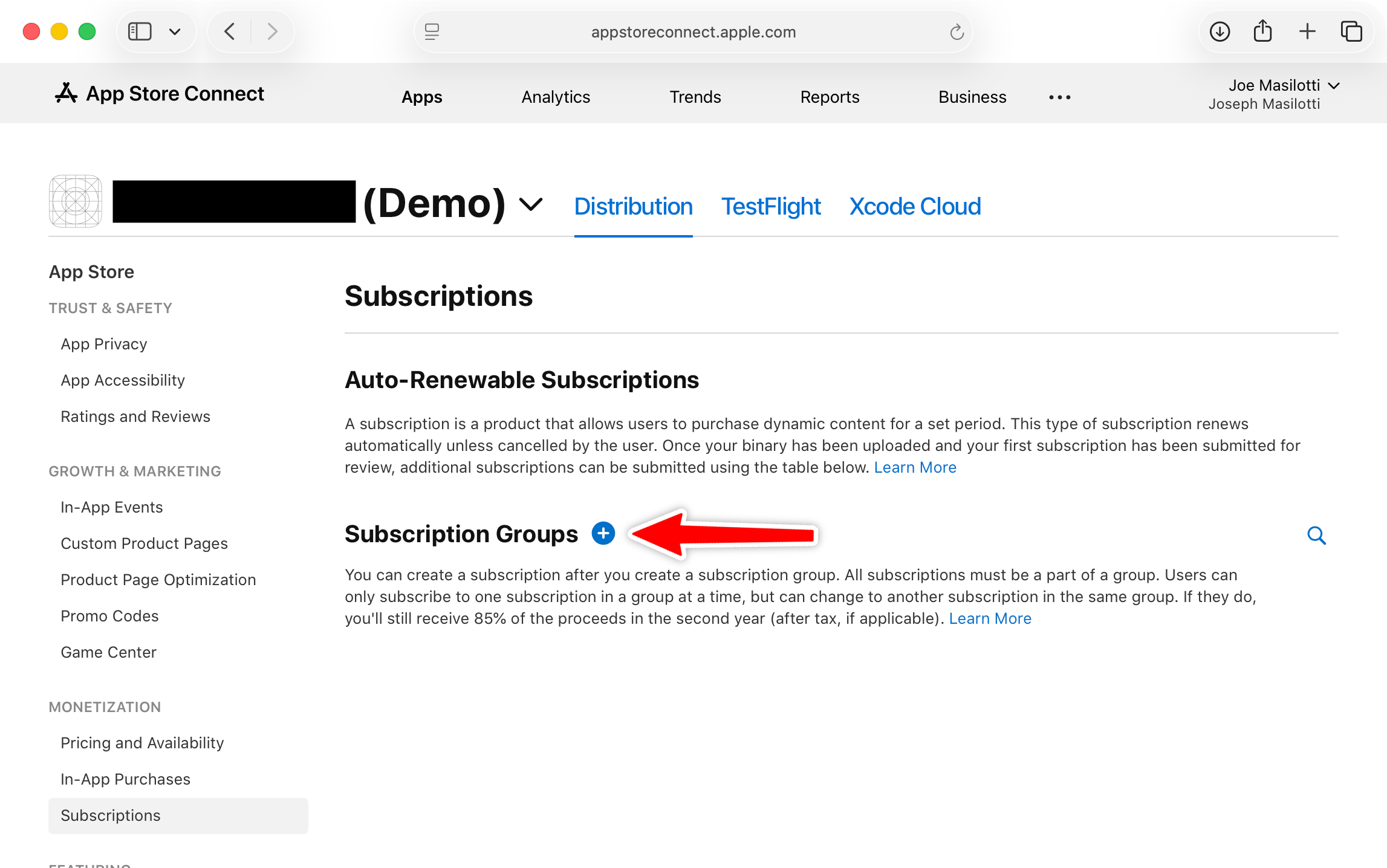
- Go to Subscriptions under In-App Purchases in the sidebar.
- Click the + next to Subscription Groups.
- Enter a reference name matching your app name (e.g., "My App").
#Add a subscription
- Within your subscription group, click Create next to Subscriptions.
- Enter a Reference Name (internal only, e.g., "Pro Annual").
- Enter a Product ID using reverse domain notation:
com.yourapp.pro.annual.
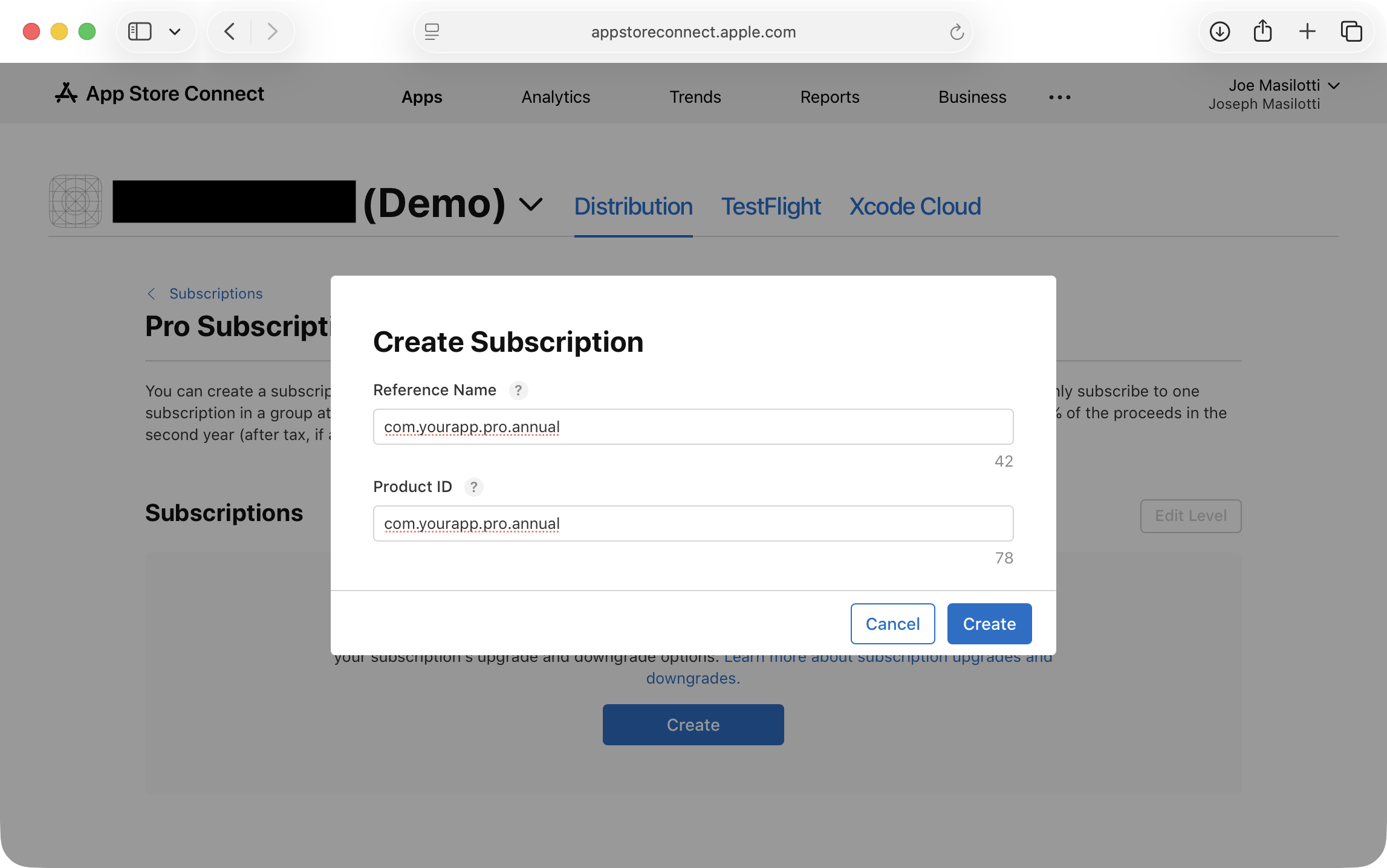
- Click Create.
- Set the Subscription Duration (1 week, 1 month, 1 year, etc.).
- Under Subscription Prices, click Add Subscription Price and choose your price.
Repeat for each plan (e.g., com.yourapp.pro.monthly and com.yourapp.pro.annual).
#Submit for review
Your first subscription must be submitted with a new app version. After that, additional subscriptions can be submitted directly from the Subscriptions page.
- Go to your app version page in App Store Connect.
- Scroll to In-App Purchases and Subscriptions and add your subscription.
- Submit the version for review.
A review screenshot is required. It must be a JPEG at one of Apple's accepted device dimensions. PNGs may fail with a misleading "dimensions are wrong" error due to file size.
| Device | Dimensions |
|---|---|
| iPhone 16 Pro Max (6.9") | 1320 x 2868 |
| iPhone 15 Pro Max (6.7") | 1290 x 2796 |
| iPhone 14 Pro Max (6.5") | 1284 x 2778 |
Ruby Native captures screenshots on an iPhone 16 Pro Max simulator. If uploading manually, take a simulator screenshot and convert to JPEG before uploading.
If you're using Ruby Native's screenshot pipeline, the review screenshot is uploaded automatically when you publish your screenshots.
#Sync your products
After creating your products, go to your app's Purchases tab in the Ruby Native dashboard and click Sync. This pulls your product IDs so you can copy them into your paywall HTML.